Your product videos need to look sharp on a phone in New York and a monitor in Jakarta. Your content team is creating more assets than ever, but captioning, localizing, and reformatting eat up time they don't have. Your developers are stitching together separate tools for images and video, and the overhead adds up every time you ship.
We get it. Getting every asset to show up exactly right, everywhere, while balancing quality, speed, and cost is one of the hardest problems in visual media, and it only gets harder as you scale. This release is designed to take that off your plate. We're removing short-form limits on video processing and adding adaptive streaming so every viewer gets the best experience their connection allows. We're also launching AI-powered captions with translation in nearly 100 languages, introducing smarter image upscaling that saves you credits, and giving you a first look at industry-specific AI built for your toughest visual challenges.
Here's a look at what's new.
Longer Video with the Same Pipeline
Until now, Imgix Video worked best with shorter content: product clips, social previews, quick demos. If your team needed to process longer videos, like full webinars, training content, extended product walkthroughs, or event recordings, you had to look elsewhere.
That changes with this release. We’ve rebuilt the video infrastructure with a new caching layer that handles longer-duration content. Upload your full-length video, and Imgix processes, optimizes, and delivers it with the same URL-based simplicity you already use for short clips and images.
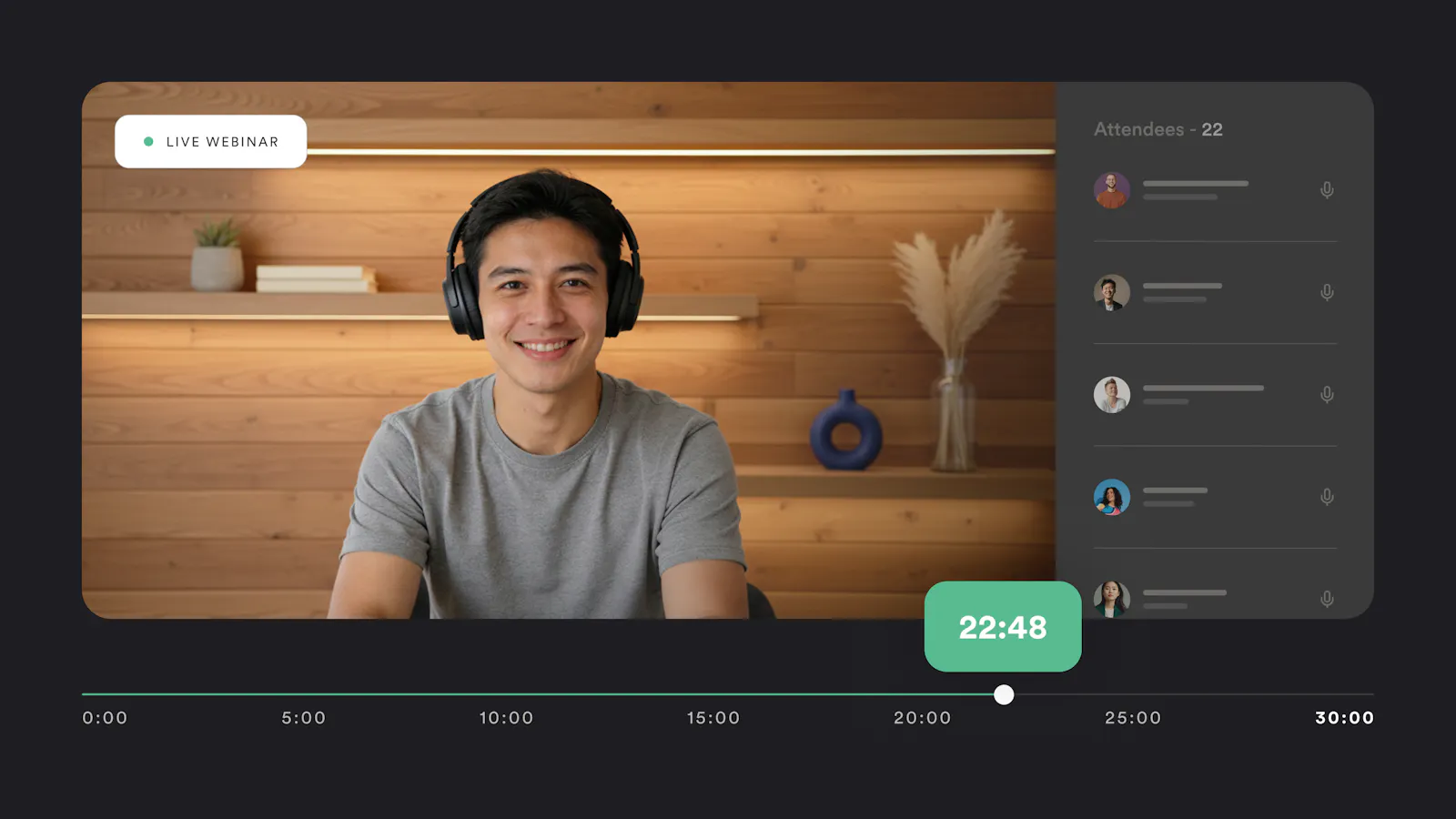
This is the same Imgix Video you already know. Every existing feature works the same way on longer content.
Explore the docs to learn more →
Video That Adapts to Every Viewer
When you deliver a single video file, the viewer has to wait for enough of it to download before playback starts. On a slow connection, that means buffering. On a fast one, you're still delivering a single quality level that can't adjust if conditions change.
Adaptive streaming solves both problems. Imgix breaks your video into small segments and serves them at multiple quality levels, so playback starts almost immediately and the quality adjusts in real time based on the viewer's connection. Add one parameter to your video URL and Imgix handles the rest, generating quality levels from standard definition up to the full resolution of your source, including 4K.
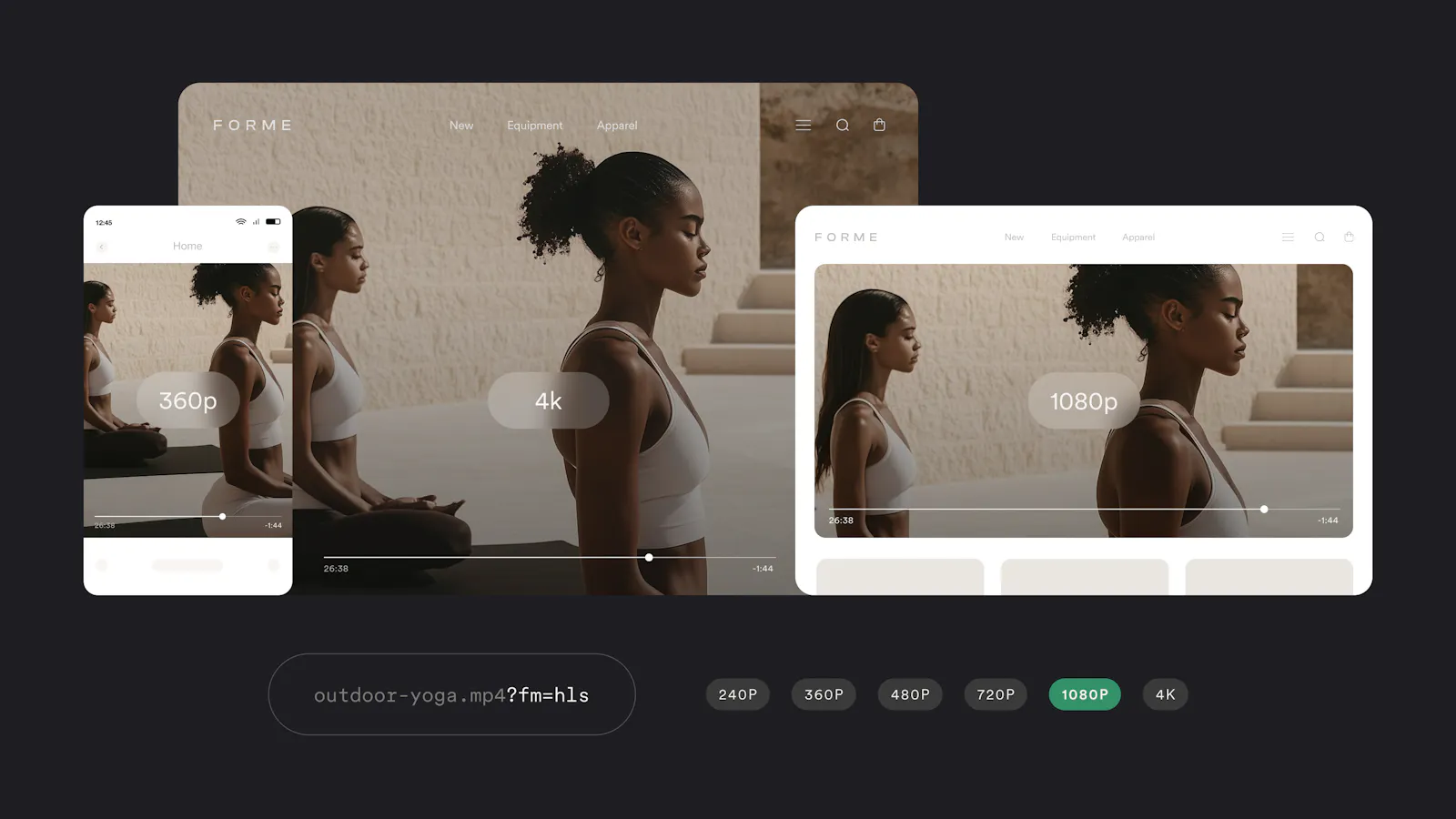
For teams that need finer control, you can define exact resolution and bitrate combinations to match your delivery requirements. Whether your audience is watching on a phone, a laptop, or a smart TV, every viewer gets the best experience their connection allows.
Explore the docs to learn more →
Captions and Translation Right from the URL
Imgix now generates captions directly from your video’s audio and translates them into nearly 100 languages, all from the URL. Add a parameter and your video gets accurate, auto-generated captions. Add another and those captions appear in French, German, Japanese, or whichever languages your audience needs. Need a standard WebVTT file for your web player? Request it and get it back instantly.
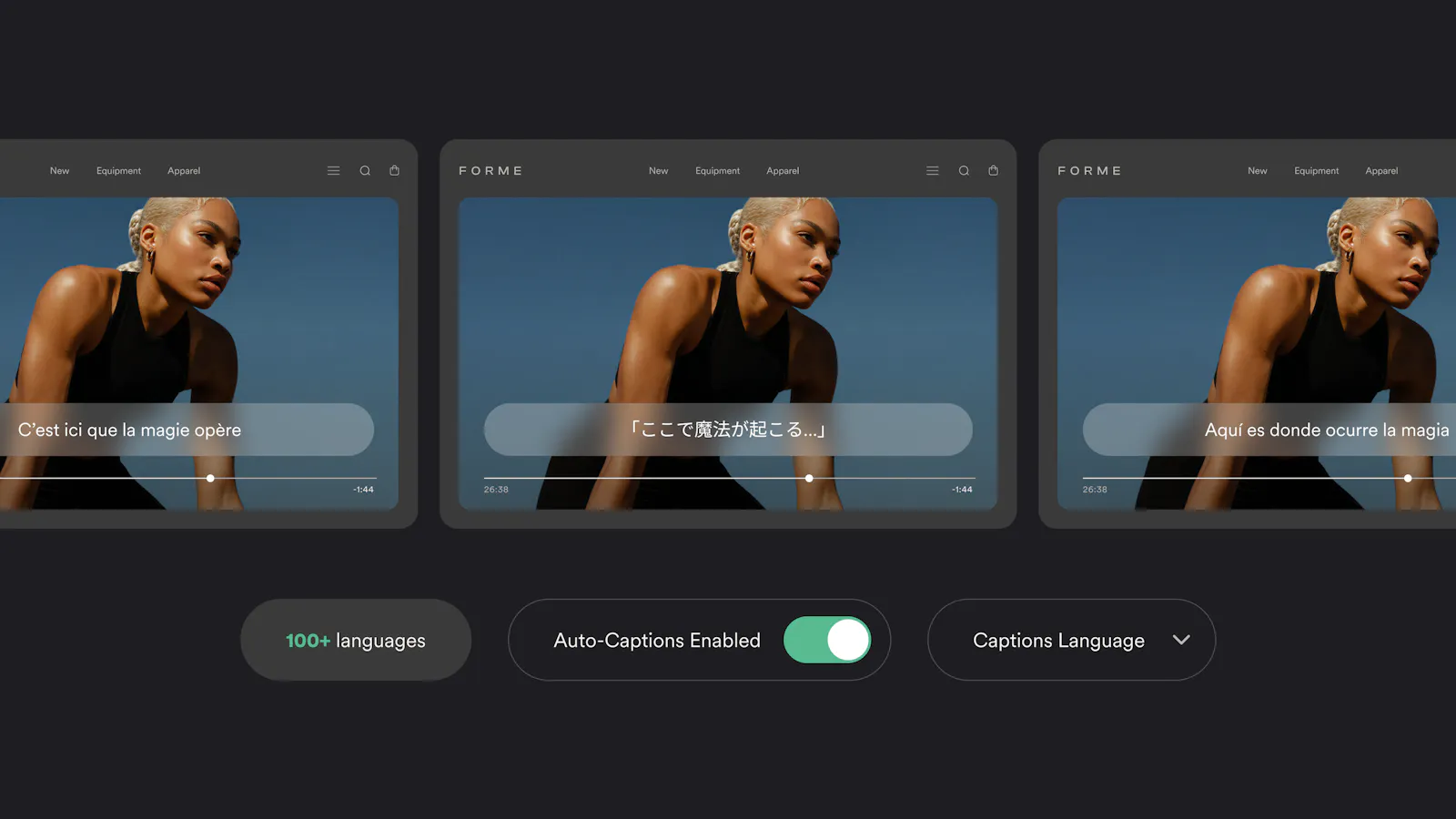
Your video goes global without your workflow getting more complicated. Instead of managing a separate captioning vendor, a batch processing queue, and a folder of subtitle files for every language, captions and translations are just another part of the video URL, like every other Imgix transformation.
Explore the docs to learn more →
The Full Imgix Video Toolkit
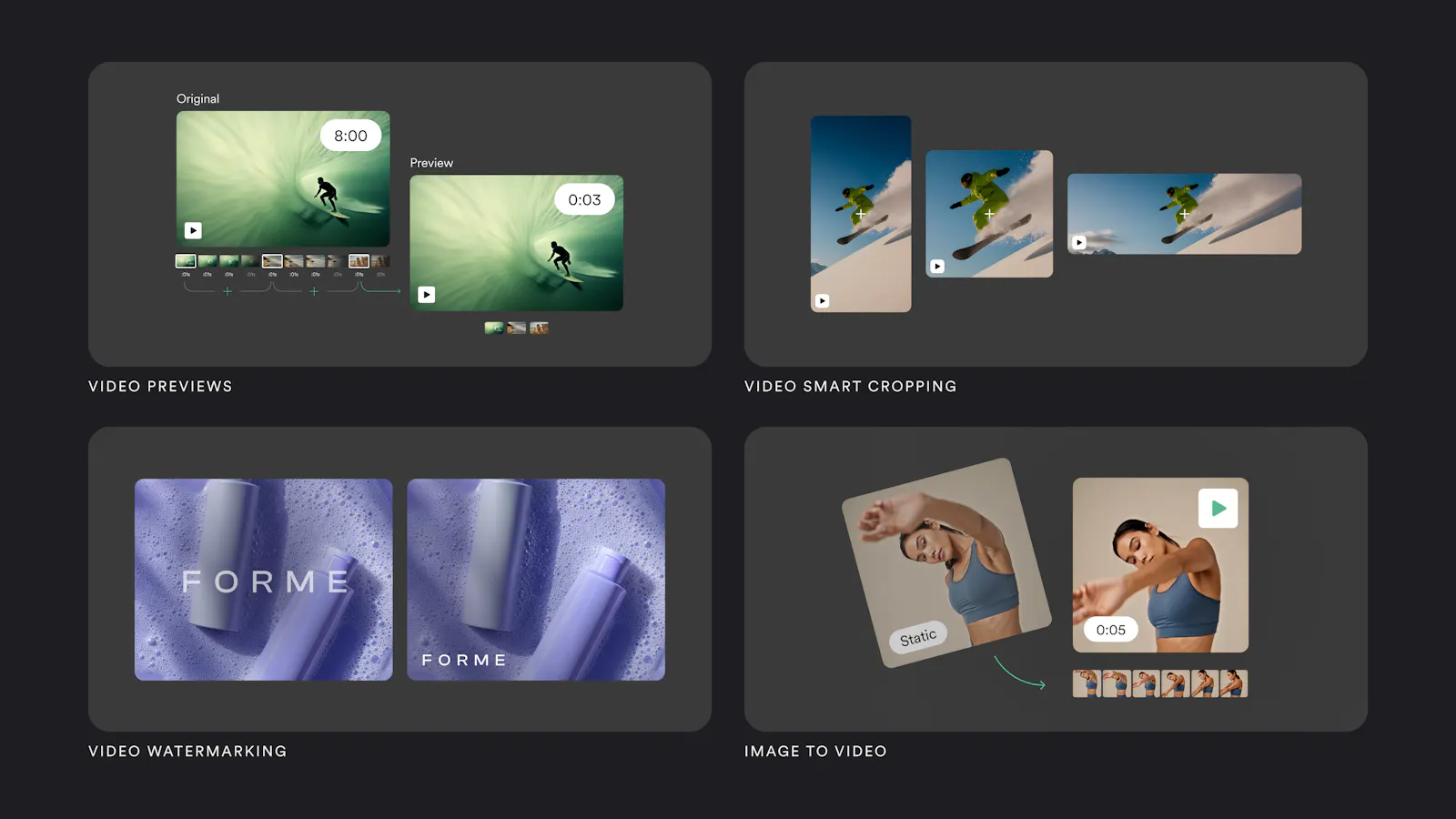
These new capabilities join a growing set of video tools already available on the platform. If you haven’t explored them yet:
- Video previews auto-generate short highlight clips from longer videos for product listings and thumbnails. Watch the demo →
- Smart cropping keeps the most important content framed correctly across vertical, square, and widescreen formats. Watch the demo →
- Watermarking overlays logos, text, and branding elements with full control over size, transparency, and placement. Watch the demo →
- Image-to-video turns static images into short-form motion content for social and mobile channels. Videos now loop seamlessly, with the last frame matching the first for smooth, continuous playback. Explore the demo →
All of these work alongside the new features in this release. One platform, same URLs, same API.
Smarter Image Upscaling that Knows When to Step In
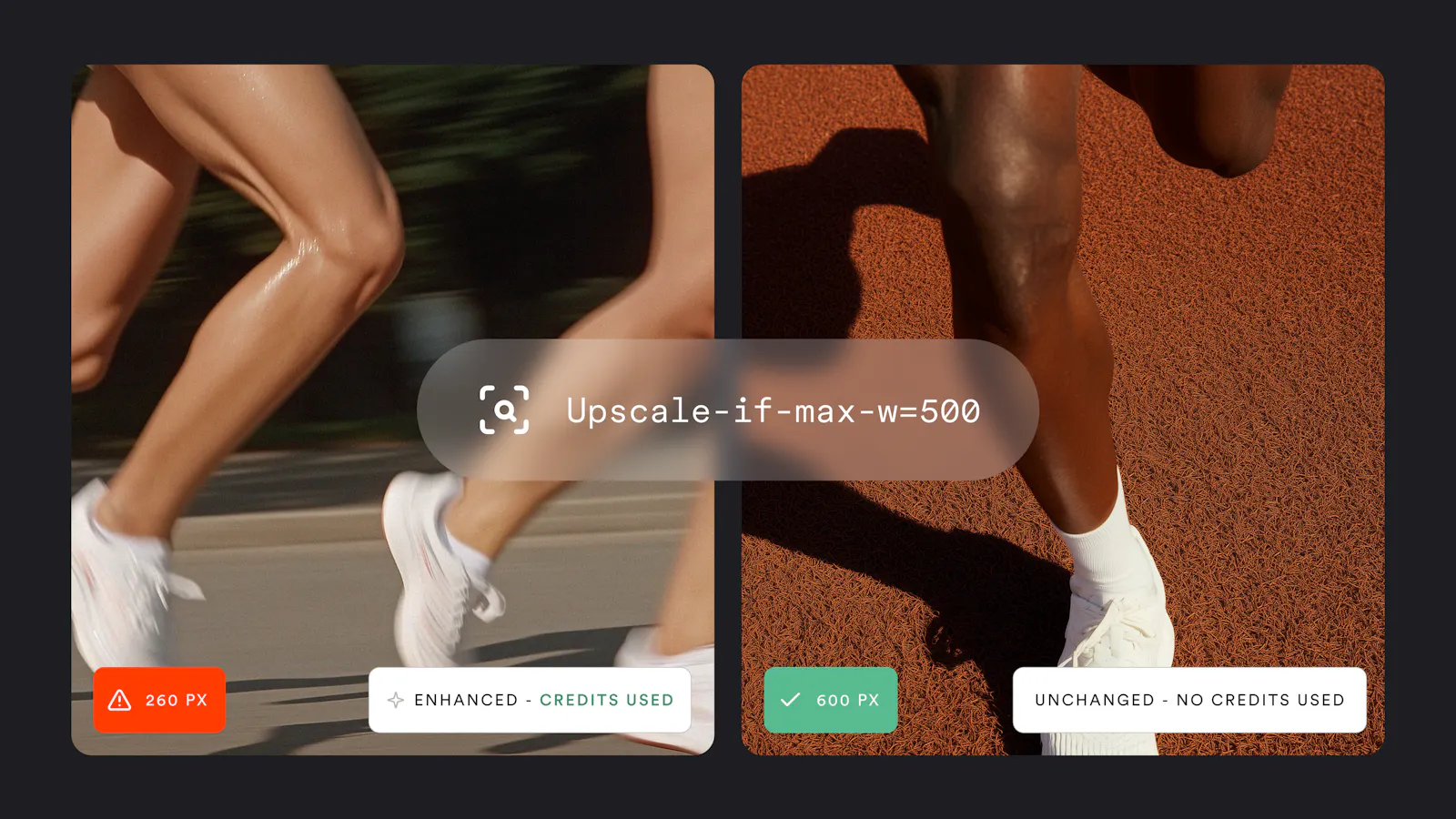
Not every image needs enhancement, and with this release, our most popular AI image feature gets smarter about knowing the difference. When you run super resolution across a large catalog, you’re paying to upscale some images that already look great alongside the ones that actually need help. That’s wasted credits and wasted processing time.
Conditional super resolution only applies upscaling when an image falls below the dimensions you set. If an image is already large enough, it passes through untouched. If it's undersized, it gets enhanced. You set the threshold once and every image in your library gets the right treatment without wasting credits on images that don't need it.
If your team manages product imagery, marketplace listings, or any visual content from multiple sources with inconsistent quality, this is a straightforward way to improve quality across the board while keeping credit costs in check.
AI That Knows What "Great" Looks Like for Your Business
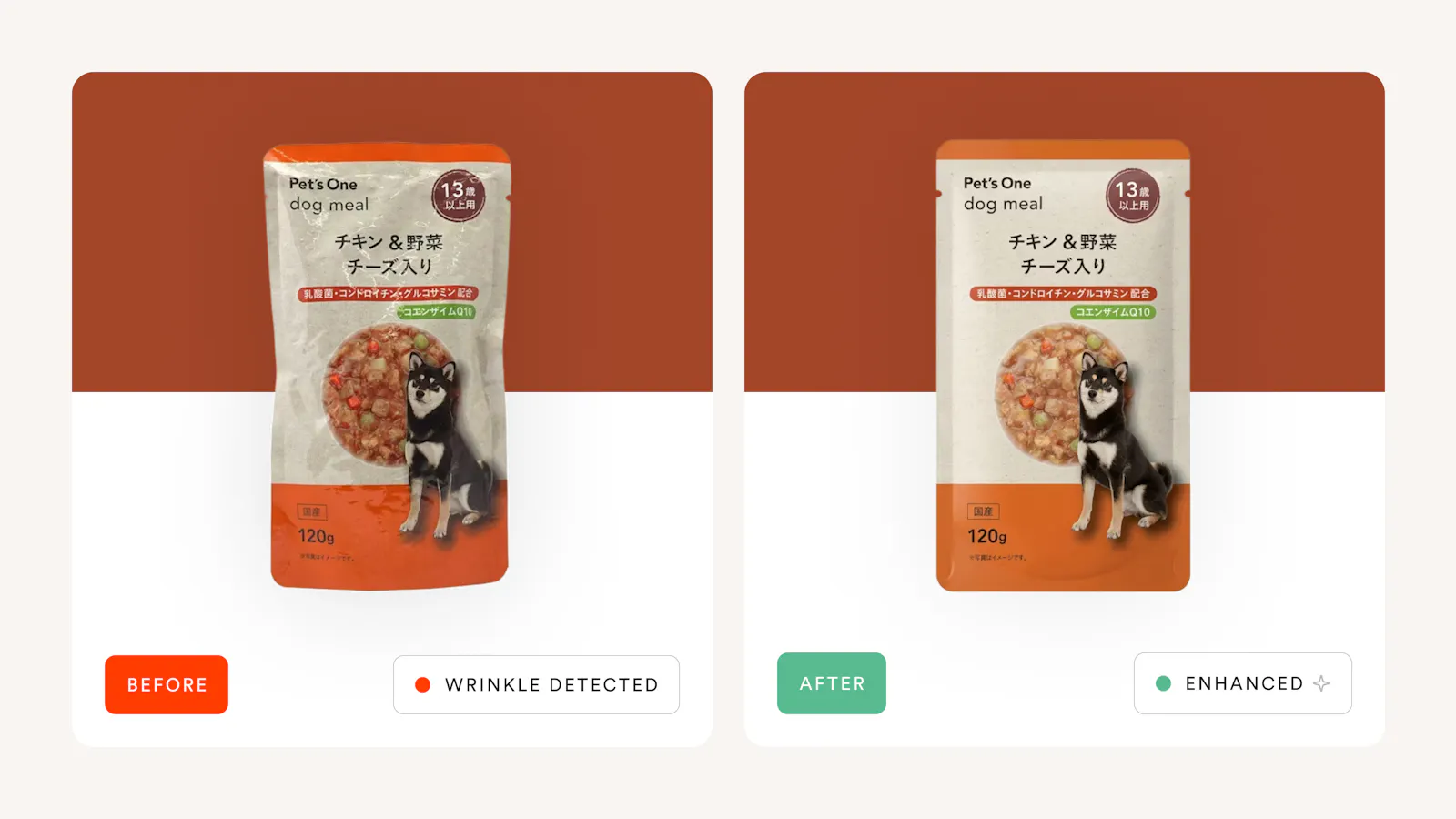
A wrinkled package on a retail shelf photo looks unprofessional. A blurry product image from a supplier doesn't convert. Photos taken with bad lighting or awkward angles never should have made it to your site in the first place. These problems exist at scale, and until now, fixing them meant manual editing or accepting inconsistency.
We’re developing AI solutions tailored to specific industries and visual challenges. Instead of applying the same processing to every image, these solutions understand the quality standards that matter for your business: what a product package should look like on shelf, what level of detail a product image needs to drive a sale, what “great” looks like in your category.
Some of the use cases we're exploring: automated de-wrinkling and background normalization for retail product packaging, resolution enhancement for supplier-sourced product imagery, and virtual staging for real estate listings that looks realistic.
If your team manages high volumes of product imagery with specific quality requirements, we want to hear about the visual challenges you’re solving today. The best solutions come from working closely with the teams who live these problems every day.
Interested? Tell us about your visual workflow and what you wish your image processing could do. Submit a brief here.
This is our biggest video release yet, and it’s designed to grow with you. Whether you’re streaming full-length product demos to a global audience, captioning content for markets you’re just entering, or letting AI handle the quality decisions your team used to make manually, everything runs through the same Imgix platform you already know.
Already an Imgix customer? Check the docs or reach out to your customer success manager if you need support getting started with these features today.
New here? Start a free trial and see what changes when your images and video run through one platform.