
We just shipped four new video capabilities, and they cover two different problems: squeezing more performance out of every video you deliver and giving you more creative control over how those videos look and behave.
Take a look at what's new.
Enhanced Auto-Quality (VMAF)
Picking the right bitrate for a video has always been a tradeoff. Go too high and you're burning bandwidth. Go too low and quality suffers. Most teams either pick a fixed setting and live with the waste, or spend time tuning it manually for different content types.
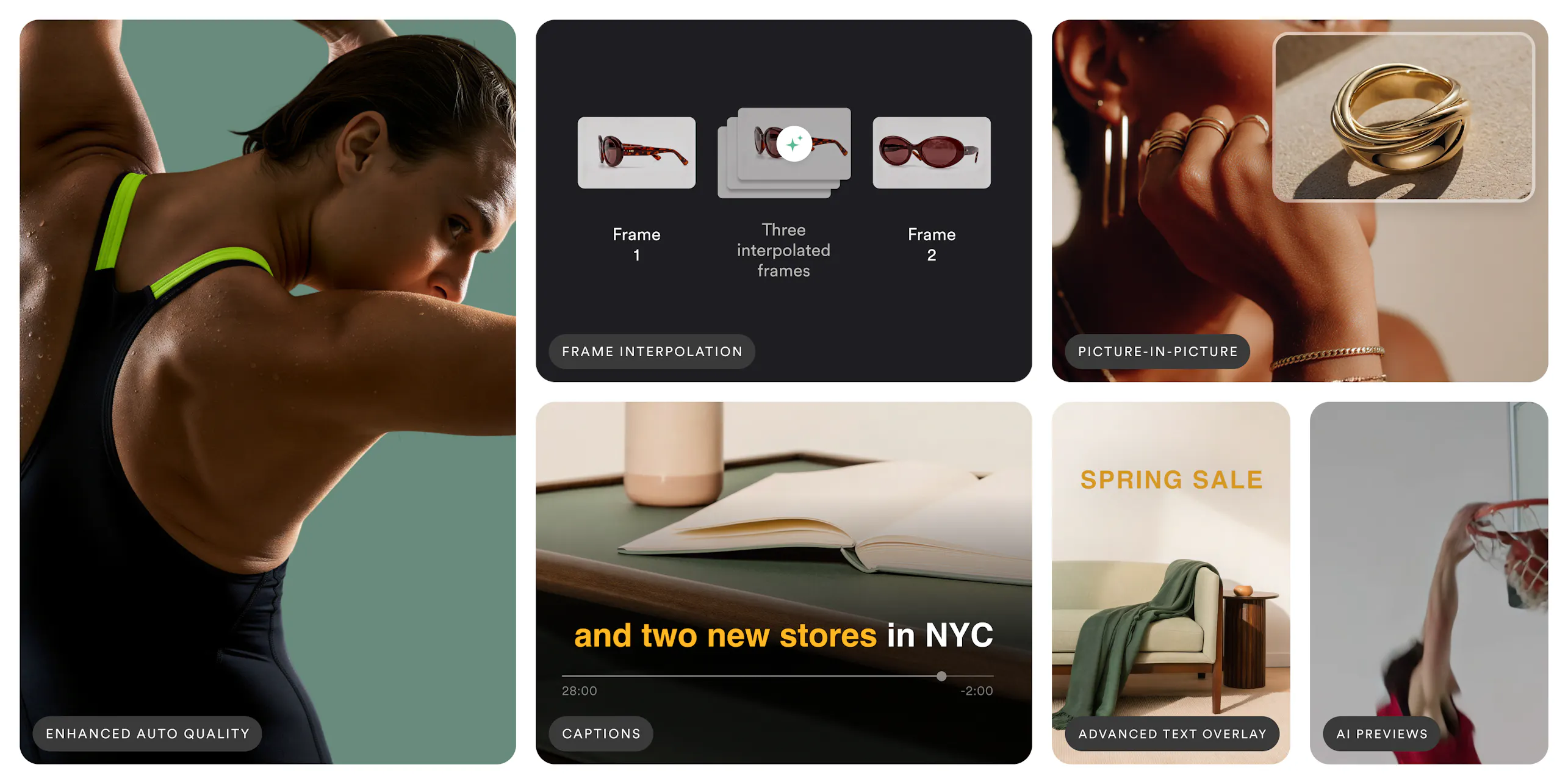
Enhanced Auto-Quality handles this automatically. Imgix runs VMAF analysis on every video at delivery time. VMAF is the same perceptual quality metric Netflix and YouTube use to measure what viewers actually see, not raw compression numbers. Imgix finds the lowest bitrate that still looks great, so you get consistent quality across your library and bandwidth savings of up to 50% or more with nothing new to configure.

Playback speed and frame interpolation
Until now, getting creative with video playback meant pre-rendering multiple versions of a clip or writing custom logic on top of FFmpeg. Slow-motion, speed ramps, reverse playback, boomerang loops. Each one a separate build, a separate file, a separate delivery problem.
With this release, all of it is available through URL parameters. Speed a clip up, slow it down, play it in reverse, or set it to loop seamlessly. Slow-motion stays smooth because we're interpolating frames rather than just dropping them, and audio stays pitch-corrected so it doesn't sound warped at different speeds.

AI previews update
Our AI-generated video previews have been available for a while, but this release meaningfully improves what they produce. Generation is faster, and the moment selection is sharper. The clips do a better job representing the actual content of the video rather than picking arbitrary segments.
If you're using previews on product pages, listing pages, or search results, this is a straight improvement with no changes needed on your end. The same parameters generate better output.

Overlay captions and text
Adding text to video has typically meant going back to an editing tool, burning it in, and re-exporting. Or maintaining a separate captioning workflow for accessibility. Neither scales well when you're dealing with large libraries or frequently updated content.
Overlay captions and text lets you add styled text to any video directly from the URL. You have full control over fonts, colors, outlines, shadows, backgrounds, animation, and timing. There's also a captions mode that places word-by-word text synced to the audio, which is useful for social content that autoplays without sound or anywhere you need accessible captions without a separate production step.


AI Alt Text Generation
Writing alt text for every image is tedious, so it usually gets skipped - leaving sites harder to use with assistive technology and harder to surface in image search. Imgix now generates it for you. One synchronous call to the Generations API returns clear, screen-reader-ready alt text for any image in up to five languages (English, French, German, Italian, and Spanish), so accessibility and multilingual support come standard rather than as an afterthought.

Picture-in-Picture: layer a second video right from the URL
Putting one video on top of another, an up-next preview, a reaction clip, a logo bug in the corner, has always meant opening an editor, rendering, and re-exporting every time the placement or timing changes. With Picture-in-Picture, you overlay a secondary clip onto your main video right from the URL using the video-mark parameter family. Set its position, size, and padding, control when it appears with start and end times, and animate its entry with a transition. You can stack up to two overlays at once.
Because it all happens at delivery, you adjust the overlay, move it, or change when it shows up by editing the URL, with no new render. A few things teams reach for it to do:
- Up Next previews that fade a clip of the next episode into the corner during the final seconds of playback
- Reaction and commentary layouts that pair a presenter with the footage they're responding to
- Looping watermarks or animated brand marks that stay on screen without baking them into the source
- Freeze-frame outros and multi-camera views that show two angles in the same frame
Like the rest of Imgix Video, Picture-in-Picture runs on the same pipeline as your images and other video transforms, so it's one workflow for every visual asset.

Closing
All four features are live in your account now and work through the same URL-based API you already use. No new infrastructure, no SDK updates.
Already an Imgix customer? Check the docs or reach out to your customer success manager if you want help getting started.
New here? Start a free trial